Free
$0
For one list, one way
- 1 list
- Sync from ClickUp
- Your notes and formulas never overwritten
- Status and priority dropdowns
Google Sheets add-on for ClickUp
Rowbridge brings a ClickUp list into Google Sheets and sends your reviewed edits back. Notes and formulas you add beside the tasks are never overwritten.
Every plan starts with a 7-day Pro trial. No card needed.
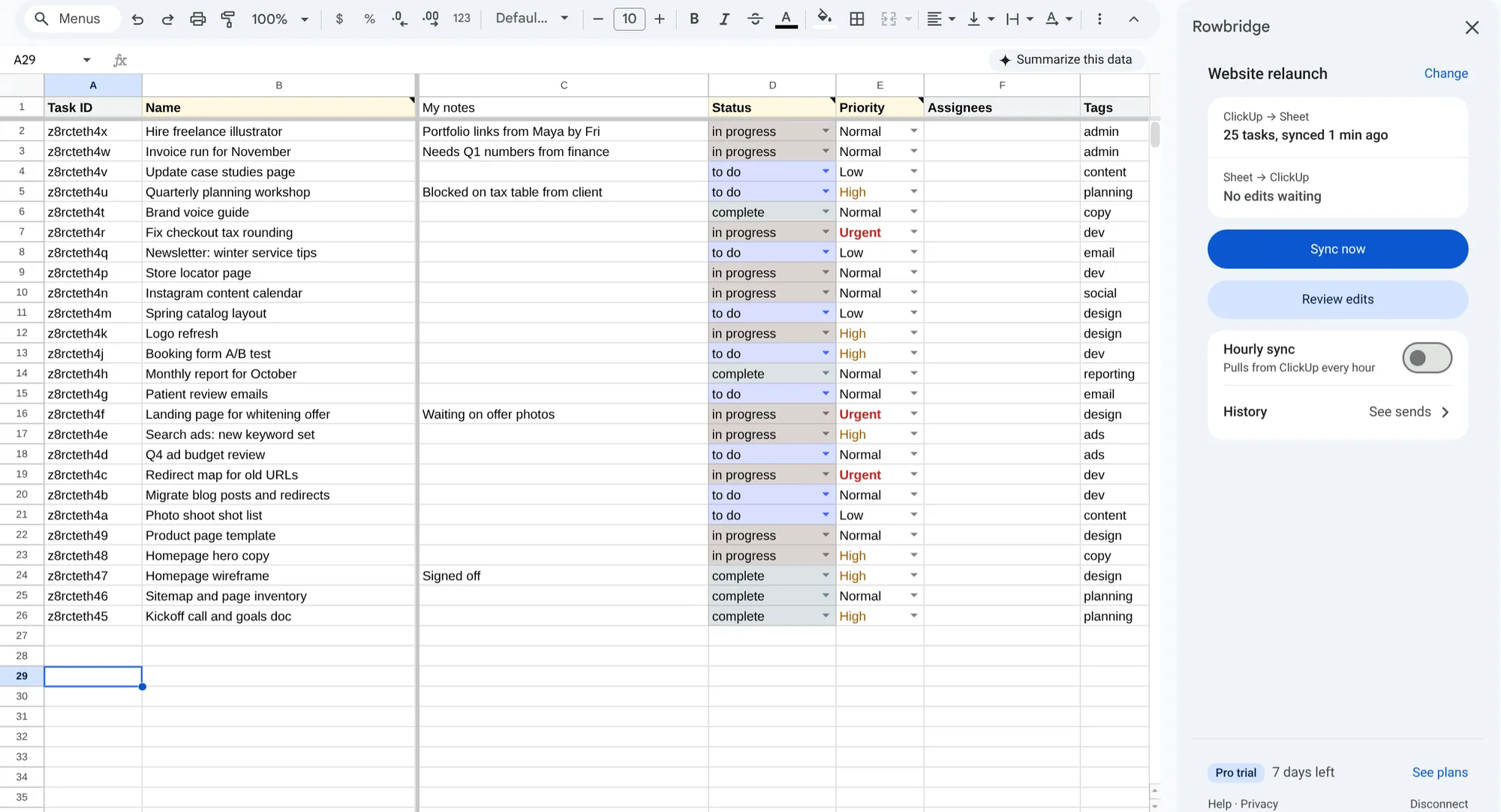
Recorded from the real add-on on a demo list.
What it won’t do
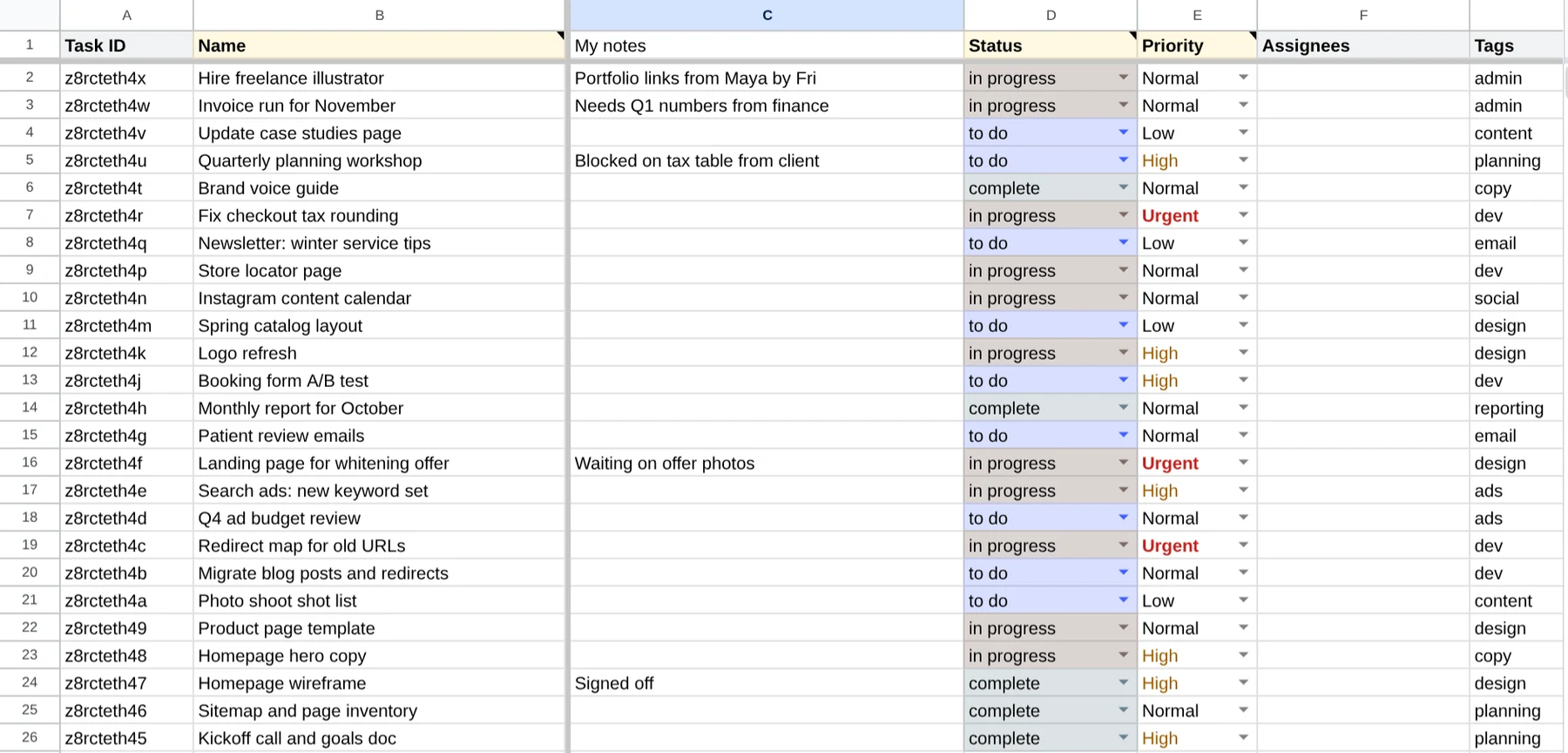
Rows are matched by Task ID and updated in place. Columns you add, like notes or formulas, are left alone, and new tasks go at the bottom, so every note stays next to its task.
The sheet is never cleared and rewritten, so it never goes blank while a sync runs.
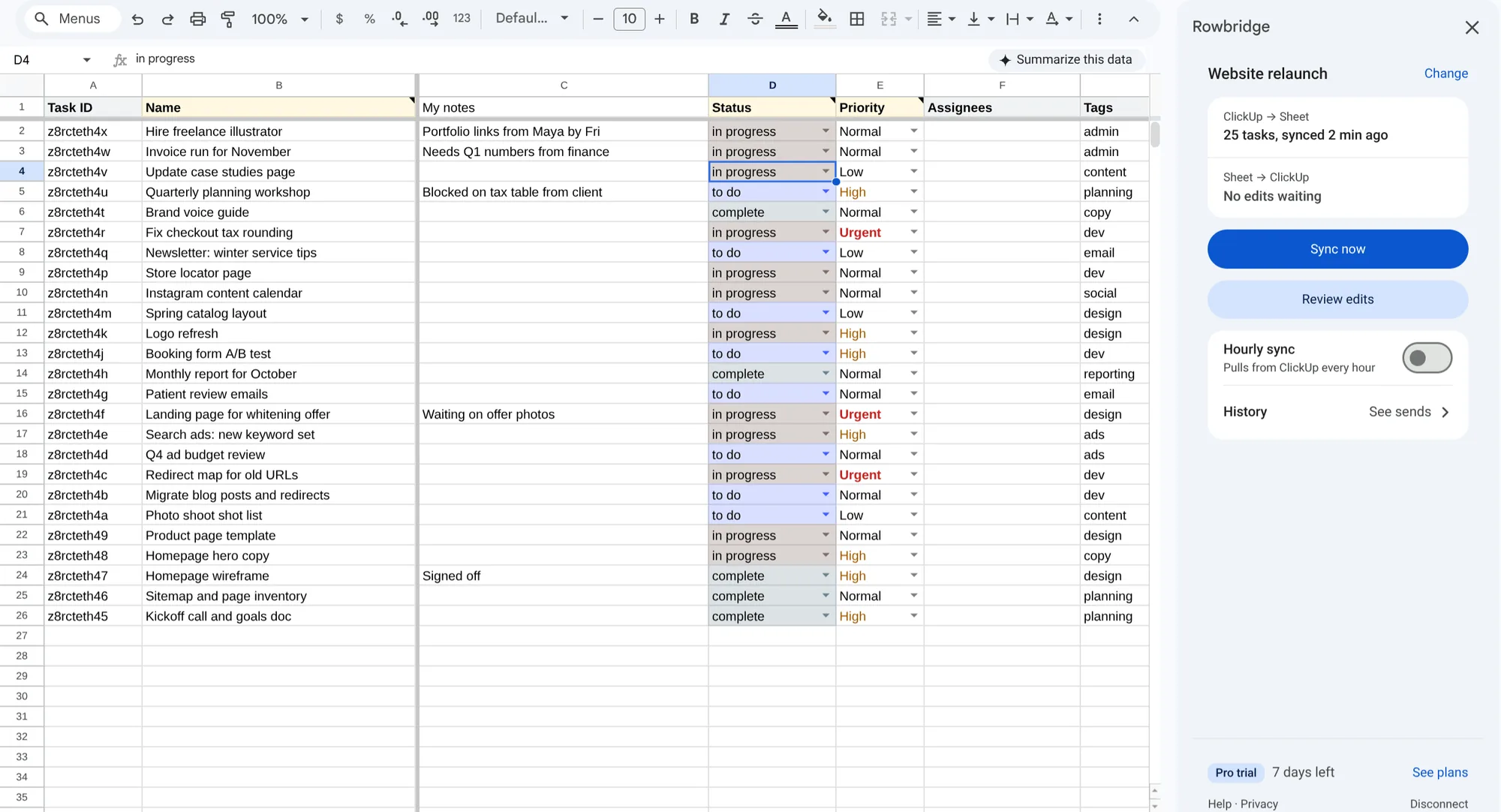
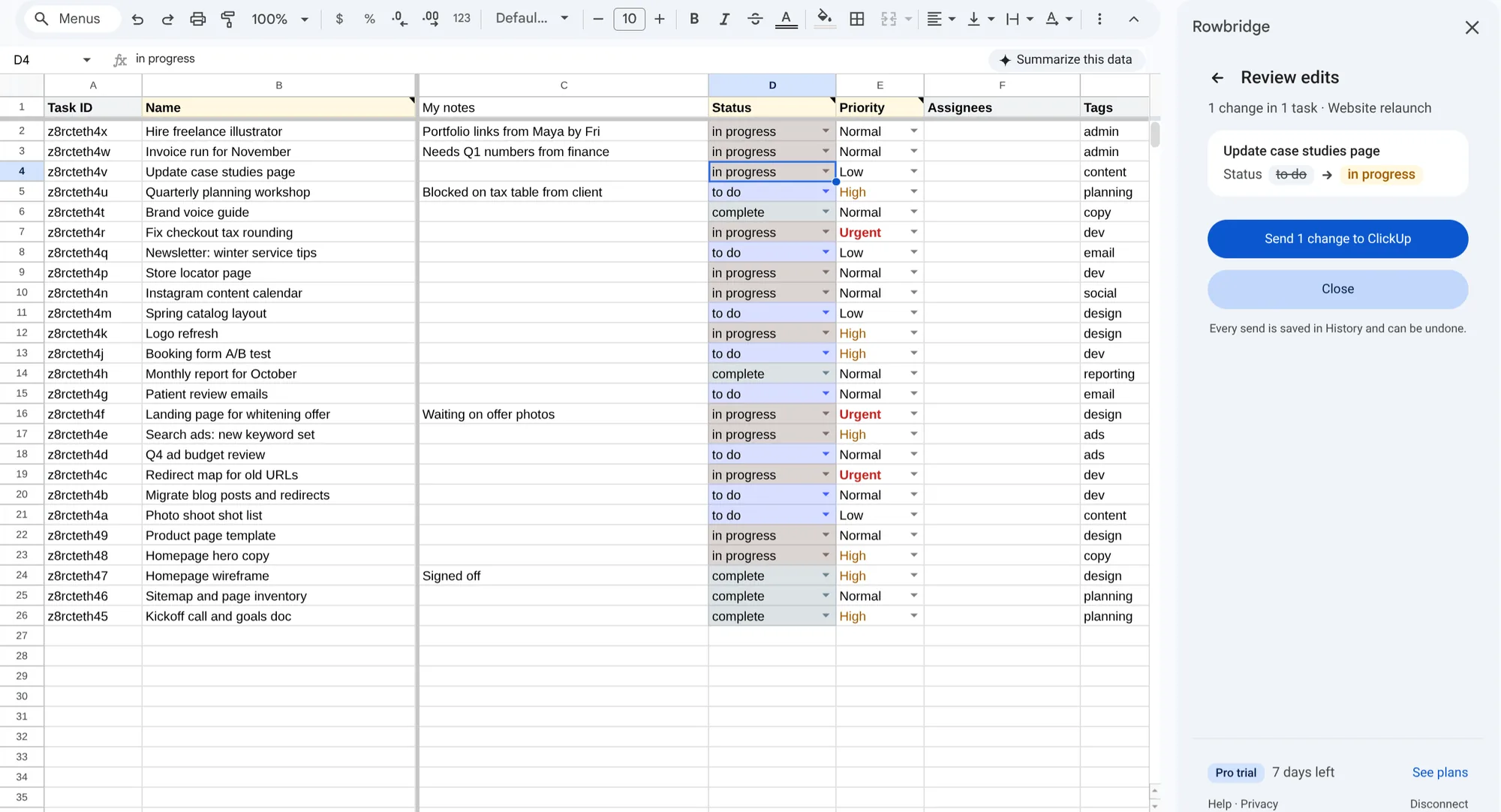
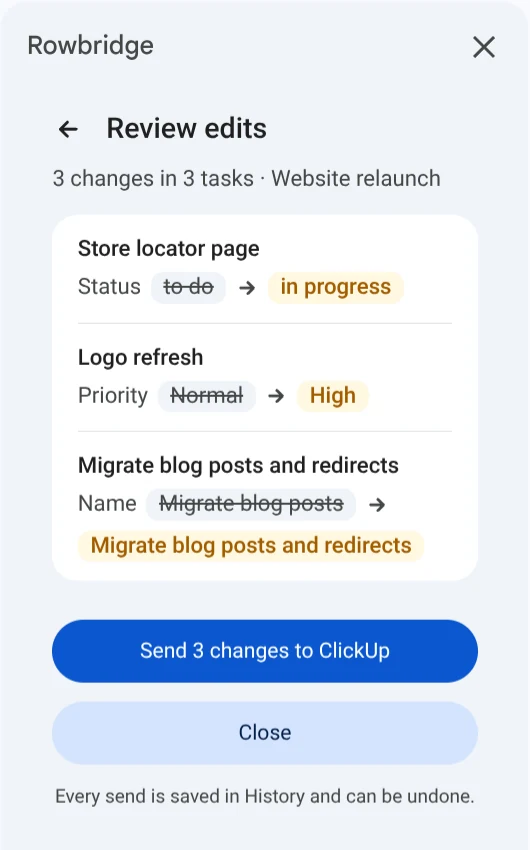
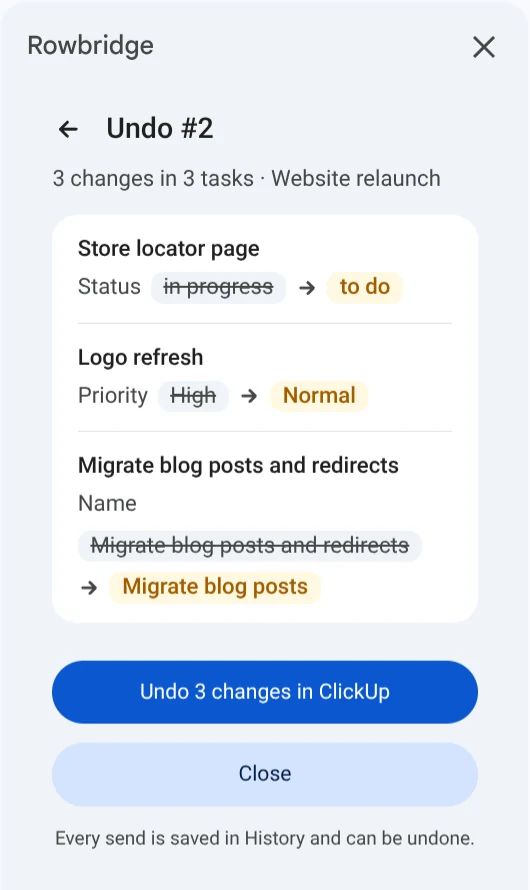
Edit in the sheet. Review edits lists every change, old value and new, before you send it. If someone changed the same task in ClickUp, it shows as a conflict and stays put.
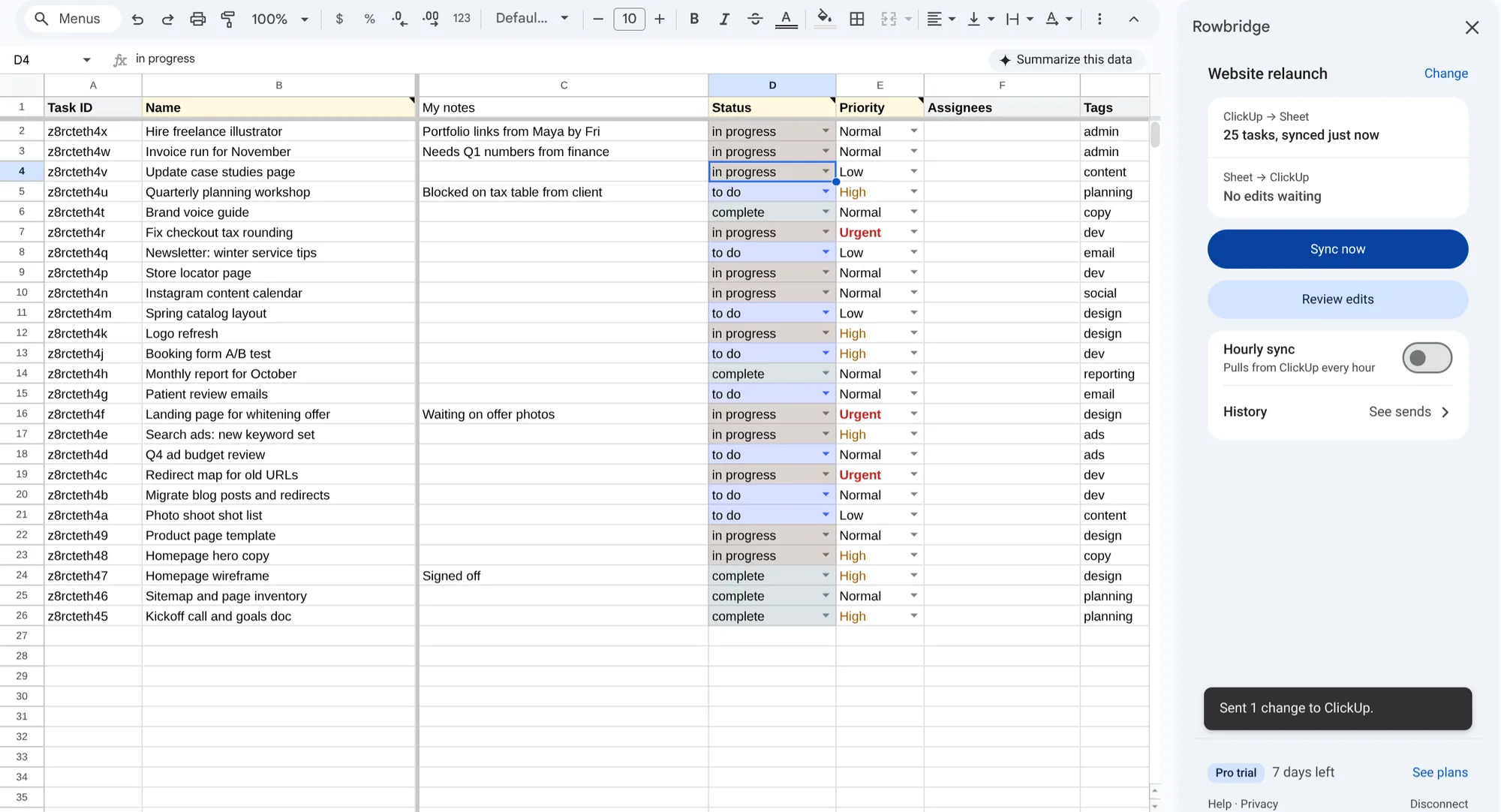
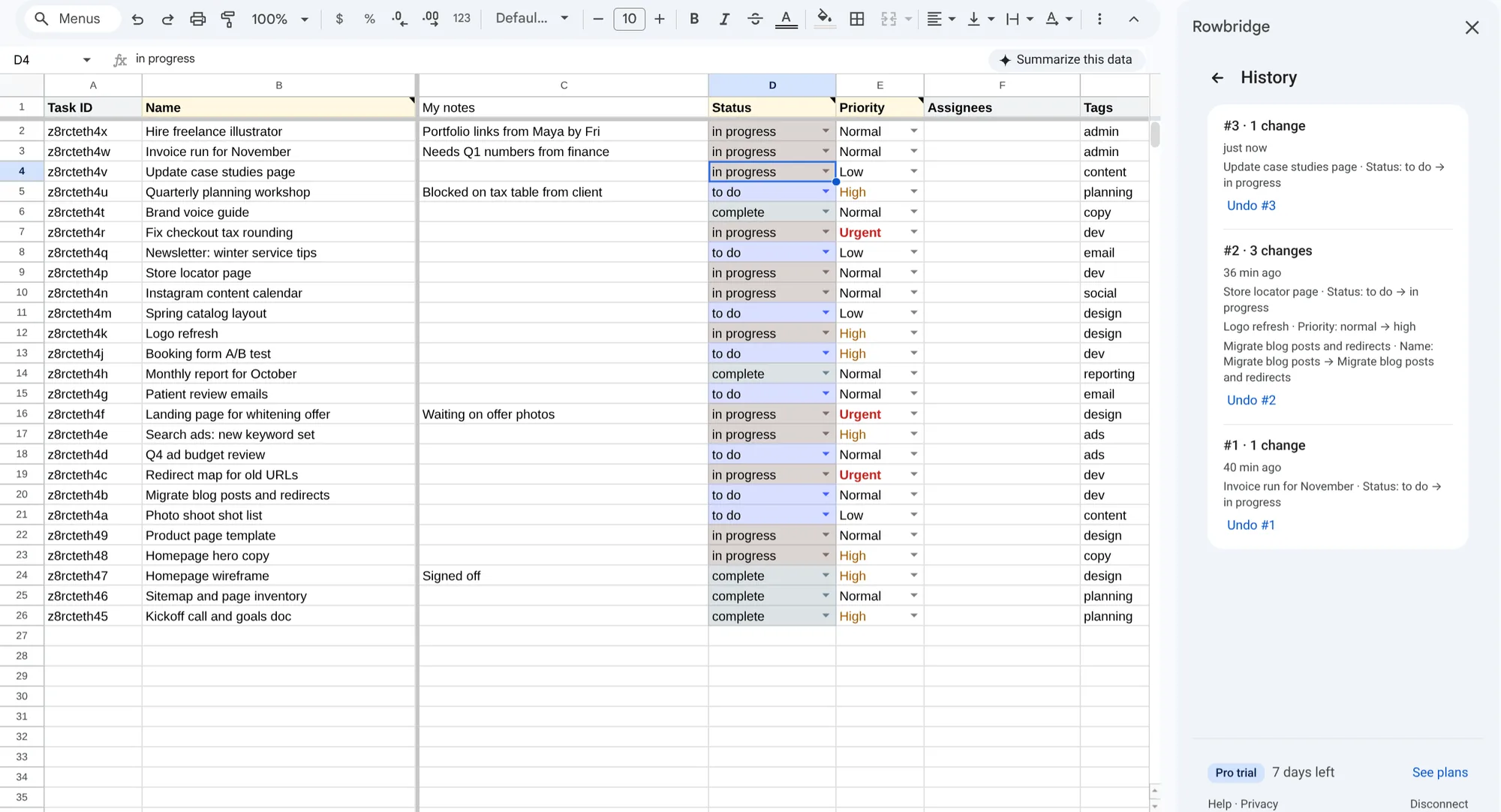
Every send is saved in History. Undo puts the old values back.
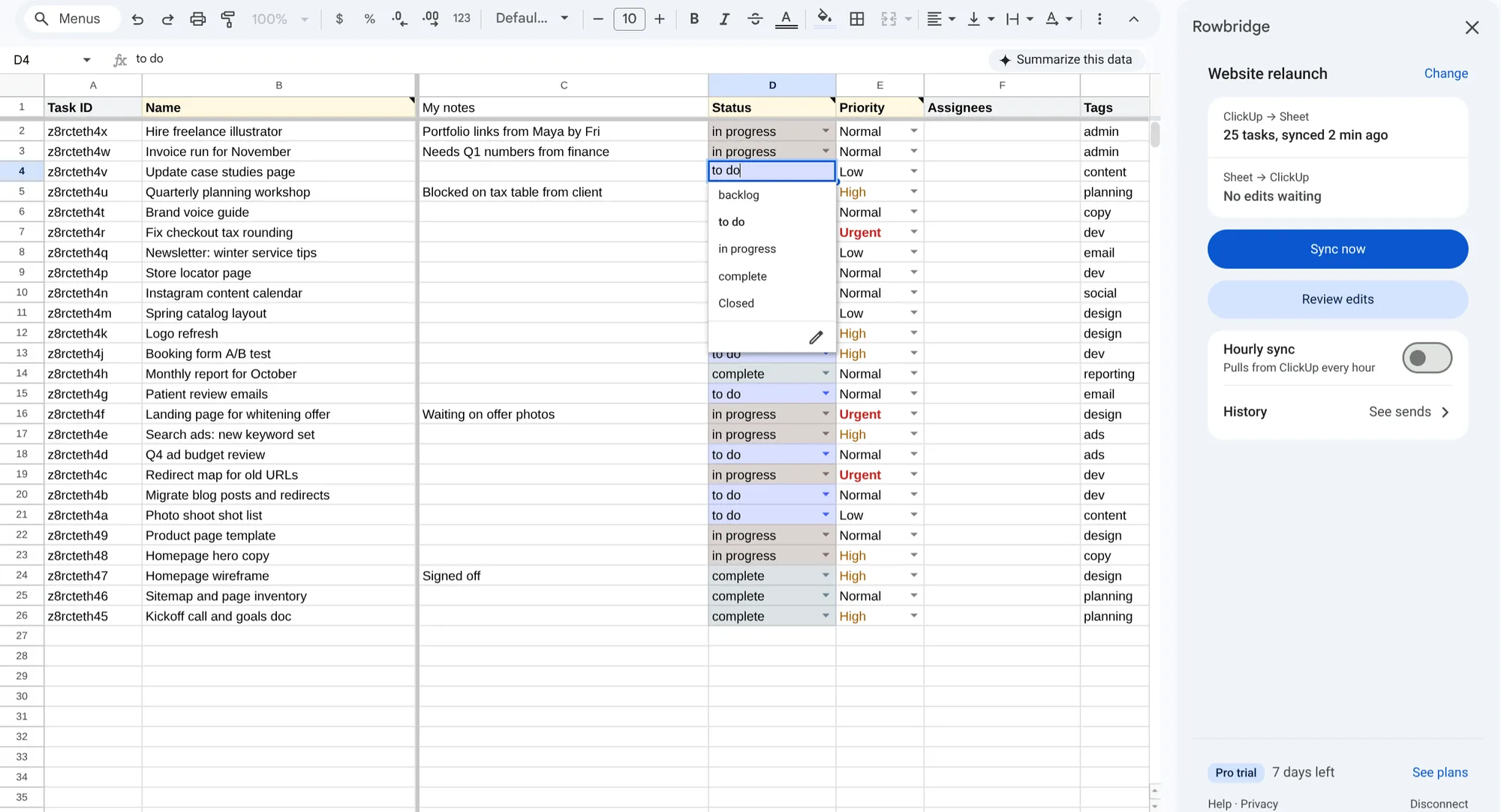
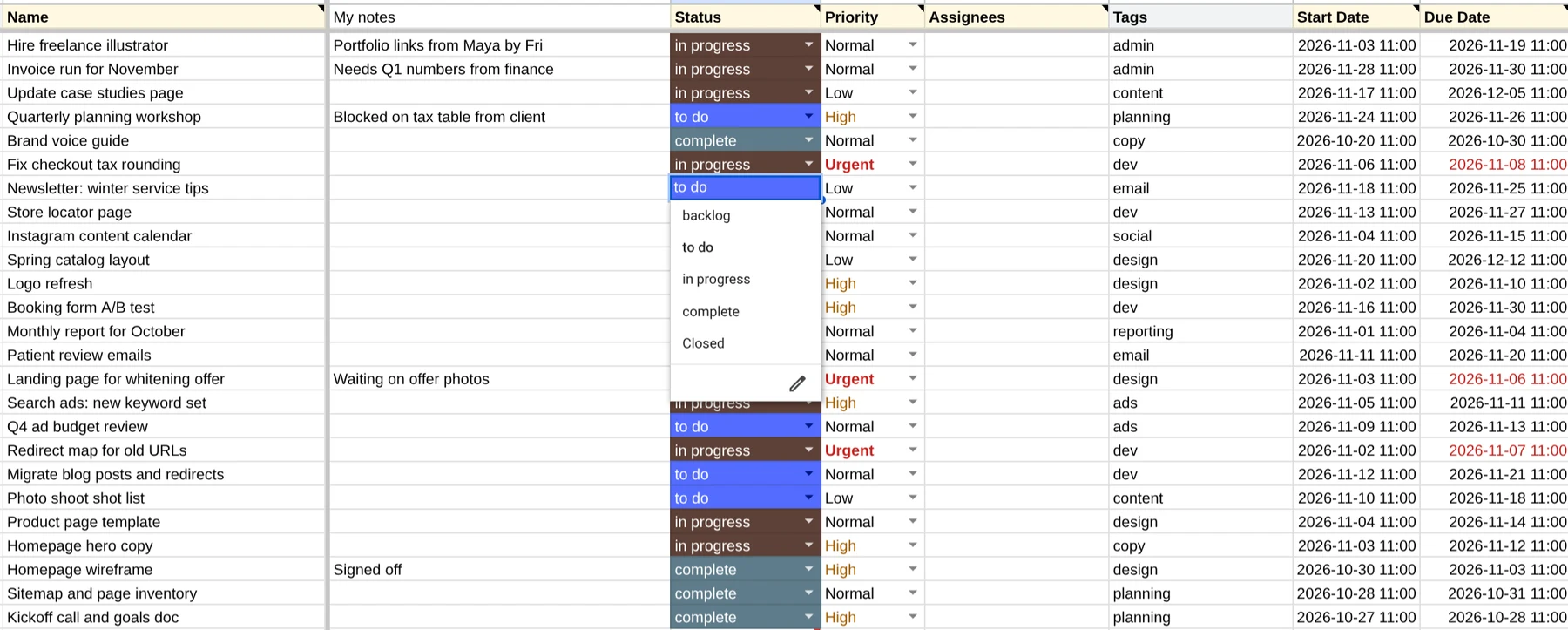
Dates are written in your ClickUp timezone, so a task due 7 Nov is due 7 Nov in the sheet too. Status is a dropdown of the list’s own statuses, in ClickUp’s colors, and overdue dates turn red until the task is done.
How it works
Open Rowbridge from Extensions and sign in to ClickUp. Your sign-in stays in your Google account.
Pick a ClickUp list. Rowbridge makes a sheet for it, with dropdowns for Status and Priority.
Sync now pulls the latest from ClickUp. Edit in the sheet, review your edits, then send them.
Pricing
$0
For one list, one way
$90/year
Same as $7.50 a month
$190/year
Same as $15.83 a month
$249 once
First 50 buyers only
Every plan starts with a 7-day Pro trial, no card needed. Upgrade from the sidebar whenever you’re ready. Payments are handled by Polar.
Install freePrivacy
No. Rowbridge writes only the columns it created, in rows it matches by Task ID. Columns you insert are never written, and new tasks are added at the bottom.
Name, Status, Priority, Assignees, Start date, Due date and most custom fields: dropdowns, labels, text, numbers, dates, email, links, phone and checkboxes. Their headers are highlighted. To create a task, add a row with a name and no Task ID. Put a parent’s Task ID in Parent ID to make it a subtask.
Yes, on Solo and Pro. Filter by status, assignee or due date, or sync one of the list’s ClickUp views. A task that leaves the filter keeps its row, marked “outside filter”, so your notes stay put.
Review edits shows it as a conflict and doesn’t send it. Run Sync now to see ClickUp’s value, then decide.
Lists of 10,000 tasks are tested. A sync of that size takes about a minute; smaller lists take seconds.
Prices are per person. You need Solo or Pro to send edits to ClickUp or to turn on hourly sync. People you share the sheet with don’t need a plan to read or edit it.
Use the link in your Polar receipt email to cancel. You keep the plan until the period ends, then Rowbridge goes back to Free and your sheets stay as they are. Changed your mind? Write to us within 14 days of your first payment for a full refund.
Free for one list. Every plan starts with a 7-day Pro trial.
Coming soon to the Google Workspace Marketplace.